

Sleep
Free for 3 monthsthen renews for less than A$10/month
- Live video only, no saved history
- Up to 2 caregiver accounts
- Up to 2 days of sleep analysis*
Nanit Insights
Membership plans, explained clearly.
The camera works without a plan. Nanit Insights adds sleep analytics, extended video history and milestone tracking, and comes free with every camera for the first 3 months on the Sleep plan.
Before you choose
Nanit Insights plans renew automatically (monthly or annually) and are billed by Nanit Inc. through the Nanit app, separately from your camera purchase. A Floor Stand or Wall Mount is required for sleep analysis, milestone detection and time-lapse videos, a Flex Stand alone is not enough for the paid features below.
Plans
Every camera includes the Sleep plan free for 3 months. Upgrade to Memories or Milestones any time in the app, or keep using the camera with no plan at all.
Free for 3 monthsthen renews for less than A$10/month
From A$10/monthor annual, AUD price shown in app (US $10/mo or $120/yr)
From A$25/monthor annual, AUD price shown in app (US $25/mo or $300/yr)
*Floor Stand or Wall Mount required for sleep analysis, milestone detection and time-lapse videos. Plans are billed by Nanit Inc. through the app; confirm current AUD pricing there before subscribing.
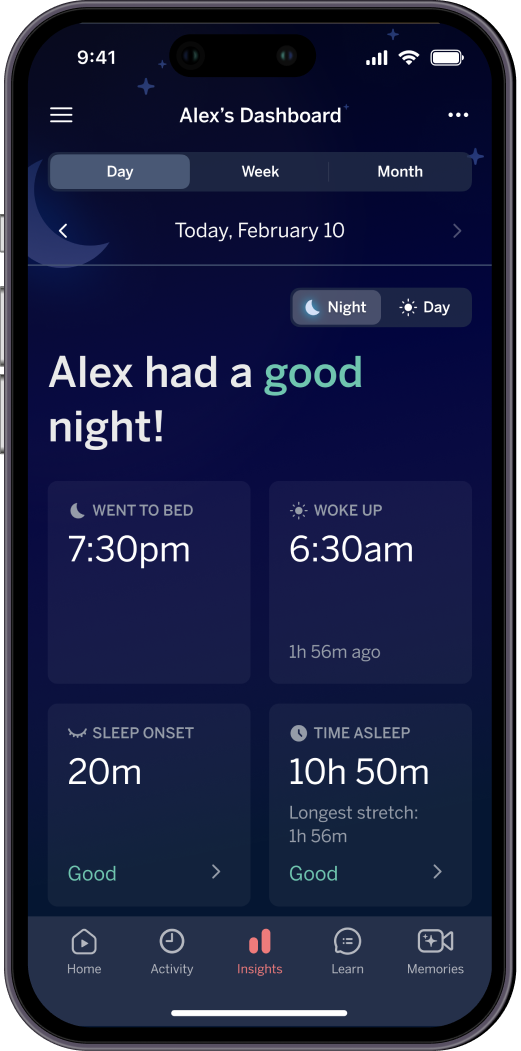

Nightly summaries and sleep trends, right where you already check the app.
Side by side
The full feature breakdown, so you can pick once and move on.
| Feature | SleepFree for 3 months | MemoriesFrom A$10/mo | MilestonesFrom A$25/mo |
|---|---|---|---|
| Caregiver accounts | Up to 2 | Up to 10 | Unlimited |
| Sleep analysis | Up to 2 days | 30 days | Unlimited |
| Continuous video history | None (live only) | 2 days | 7 days |
| Video clips | None | 30 days | Unlimited |
| Memories saved | None | Up to 200 | Unlimited |
| Sleep analytics dashboard | None | Included | Included |
| Advanced analytics (head and body position) | None | None | Included |
| Developmental milestones | None | None | Included |
Breathing motion monitoring, live video and smart alerts work on every plan, and without any plan at all. Confirm current AUD pricing in the Nanit app before subscribing.
The short answer
Nanit Insights has three plans. Sleep is free for the first 3 months with every camera, then renews for less than A$10/month. Memories starts from around A$10/month (US $10/mo or $120/yr). Milestones starts from around A$25/month (US $25/mo or $300/yr) and is the only plan with developmental milestone tracking. Live video, alerts and breathing motion monitoring work without any plan at all.
Manage your subscriptionNo. Live HD video, two-way audio, breathing motion monitoring and instant alerts all work without a plan. Nanit Insights adds sleep analytics, video history and milestone tracking on top.
Yes. Developmental milestone tracking is included only on the Milestones plan. Memories and Sleep do not include it.
Yes. Sleep analysis, milestone detection and time-lapse videos all require a Floor Stand or Wall Mount for the overhead angle. A Flex Stand alone is not enough for the paid features.
Sign in at my.nanit.com or in the Nanit app, choose your plan, and enter payment details. You can upgrade, downgrade or cancel at any time in the app.