
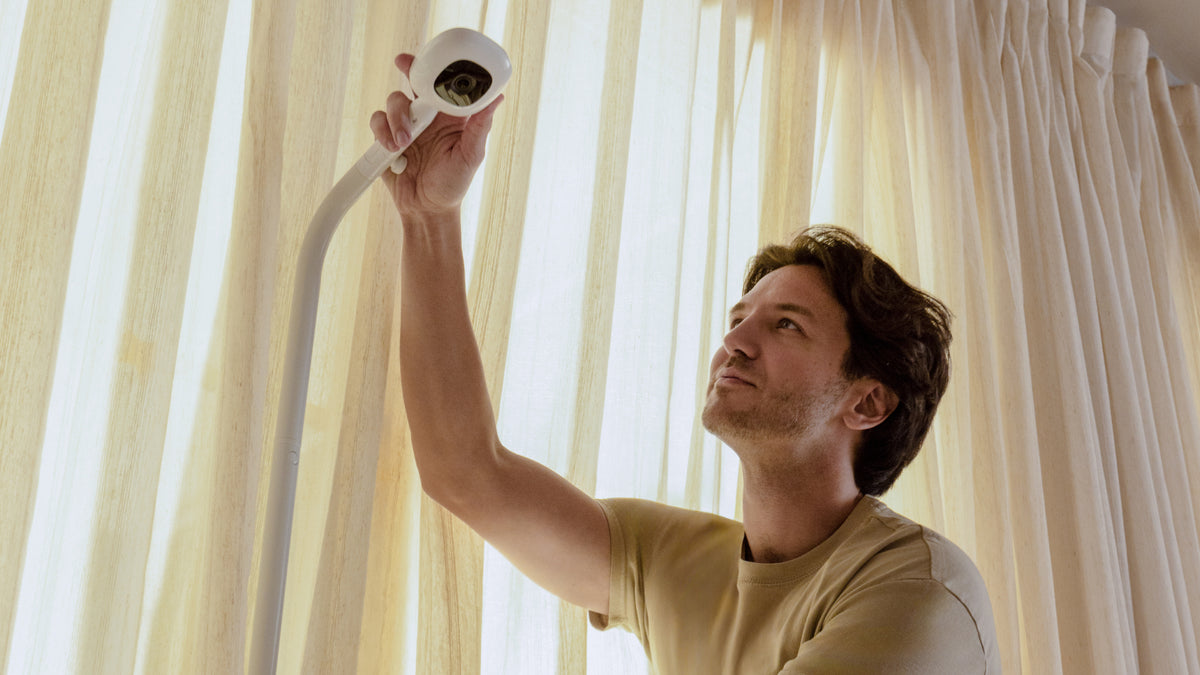
Nanit setup guide
Setting up a baby monitor: where to put it and what to check
The cot comes first, then the camera, the cable and the Wi-Fi. A calm checklist for your first night.
- 1The cotBaby's own safe sleep space comes first.
- 2The cameraOverhead, with a clear view of the mattress.
- 3The cableTucked along the wall, out of reach.
- 4The powerA power point close enough for the cable.
- 5The Wi-FiA 2.4GHz network in range of the camera.
Good baby monitor placement comes down to the cot, the cable and the view. Where the camera sits decides what you can see, how safely the cable runs and how steadily it stays connected.
This guide covers where to put a baby monitor, what to check before the first night, and the safe sleep guidance that comes before any camera. It uses Nanit's own setup details, but the safe sleep part applies to every monitor. If you are still choosing a camera, our setup finder takes about a minute.
Start with the cot, not the camera
Before you think about where a camera goes, set up the sleep space. Red Nose Australia publishes six safe sleep recommendations for every cot, bassinet and portable cot. In short:
- Sleep baby on their backFrom birth, not on the tummy or side.
- Head and face uncoveredNothing over the face or head.
- Smoke freeBefore birth and after.
- A safe sleeping environmentA safe cot, a firm flat mattress and safe bedding, night and day.
- Their own safe sleep spaceIn the same room as an adult, for the first six to twelve months.
- Breastfeed babyIf you are able to and choose to.
A monitor lets you see and hear your baby. It does not replace any of these steps, and it does not prevent SIDS or any other condition. Red Nose says so itself, on a page titled Baby Monitors Do Not Prevent SUDI.
Nanit is not a medical device and is not intended to diagnose, treat, monitor or prevent any medical condition, including SIDS. For anything about your baby's health, talk to your GP or child health nurse.
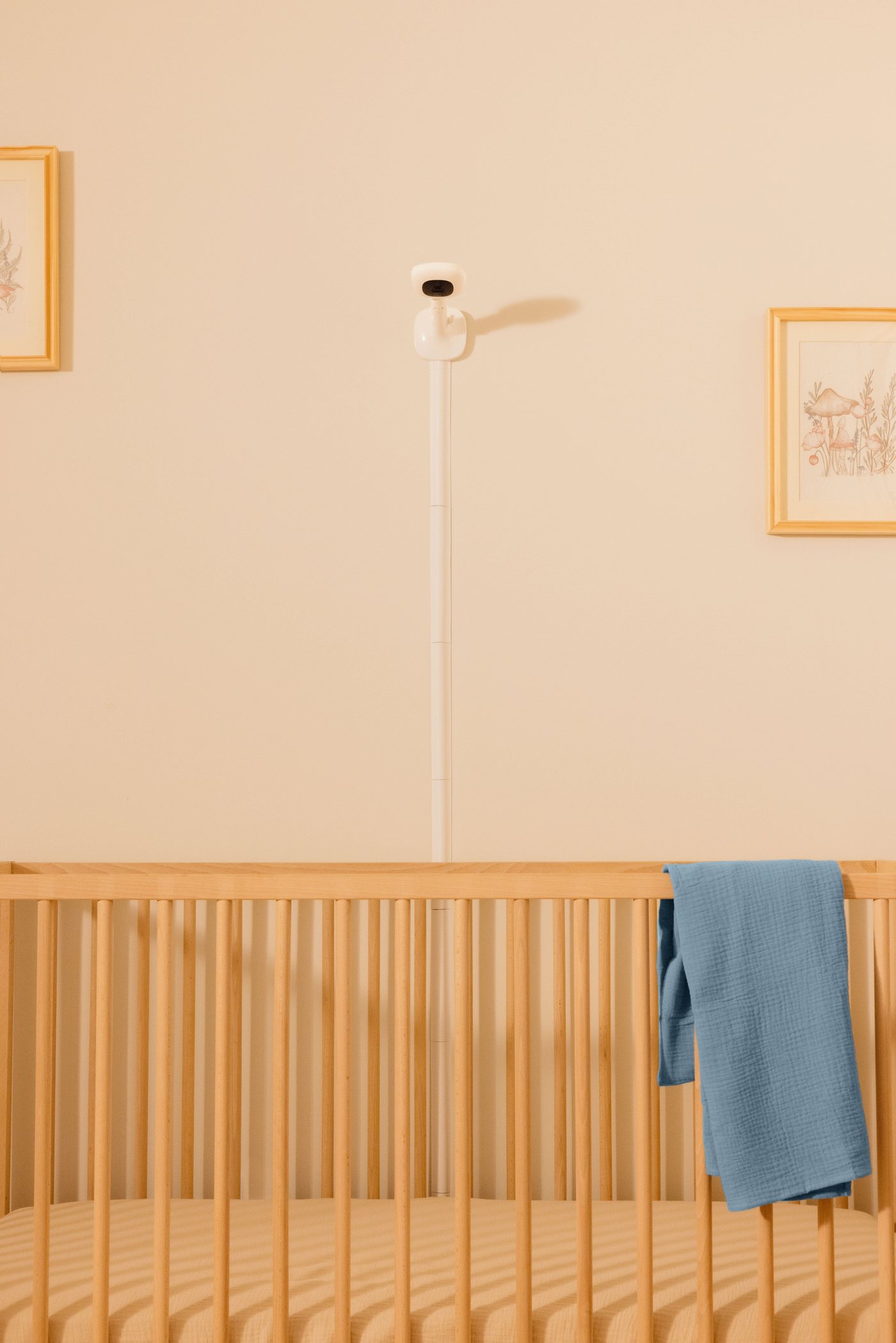
Overhead, with a clear view of the mattress
Nanit is designed to look down on the cot from above. There are three ways to get it there, and the right one depends on your home.
Floor Stand
Freestanding, with a height-adjustable stand that sits the camera directly over the cot. No drilling, so it suits rentals and moves with you if you rearrange the room.The most chosen setup in Australia
Wall Mount
Fixes above the cot for the cleanest, most permanent view, with a cable channel. It needs two wall anchors and a drill, and takes about 15 minutes.Best for a long-term nursery
Flex Stand
A flexible gooseneck that wraps onto a bassinet rail, shelf or travel cot and folds flat. No drilling, and about 5 minutes to set up.Best for bassinets, travel and moving between rooms
Not sure which? Read Wall Mount vs Floor Stand or which Nanit setup is best for your home.
The cable and the connection
The cable
Route it along the wall, away from the cot, and keep the camera and cord out of your baby's reach, now and as they start to move. The Wall Mount includes a cable channel for exactly this.
The box includes a USB-C cable and an Australian power adapter, so choose a power point close enough that the cable does not have to stretch. Check your quick start guide for any distance guidance, as it differs between stands.
The connection
Nanit connects to 2.4GHz Wi-Fi and does not connect to 5GHz-only networks. During setup, keep the camera within range of your router. If it will not connect, restart both the camera and the router, then try again.
If the internet drops, the camera keeps working on your home network, so you can still see and hear your baby at home. Remote viewing and alerts resume once you reconnect.
The lights-out checklist
Run through this once the camera is up, with the room dark and the door closed. It takes a few minutes and saves a 2am surprise.
- The sleep space follows Red Nose guidance
- The camera sees the whole mattress from above
- The camera and cable are out of your baby's reach
- The cable is tucked along the wall, not hanging loose
- Wi-Fi is 2.4GHz and strong where the camera sits
- Night view looks clear with the lights off
- Two-way audio works from another room
- App alerts are on, on every phone that needs them
- Your partner or carer is invited to the Parenting Team

Add the Breathing Wear
Nanit reads breathing motion from the printed pattern on its Breathing Wear: a swaddle, band or pyjama. Nothing is worn on the body and no sensor touches your baby. Breathing motion monitoring needs at least one piece of compatible Breathing Wear, and you can buy the next size as your baby grows.
Follow Red Nose guidance on wrapping and sleep bags when choosing what your baby wears to sleep. How breathing motion monitoring works.
Baby monitor placement: FAQs
Where is the best place to put a baby monitor?
Nanit is designed to sit overhead with a clear view of the whole mattress, using a Floor Stand, Wall Mount or Flex Stand. Whatever you choose, keep the camera and its cable out of your baby's reach, and follow the instructions that come with your stand.
How high should a baby monitor be?
High enough to see the whole mattress, and out of reach. The Nanit Floor Stand is height-adjustable to sit the camera over the cot, and the Wall Mount fixes above it. Check your quick start guide for the right setup for your cot.
Can I put a baby monitor on a shelf?
The Nanit Flex Stand is designed to sit on a shelf, wrap onto a rail or sit on a table edge. Make sure the camera is stable and that neither it nor the cable can be reached from the cot.
Do baby monitors prevent SIDS?
No. Red Nose Australia states that baby monitors do not prevent SUDI, and Nanit is not a medical device or intended to prevent any medical condition, including SIDS. Safe sleep practices matter most. For health concerns, talk to your GP or child health nurse.
Do I need a baby monitor for a newborn?
That is a personal choice. Red Nose publishes guidance on whether to buy a monitor, including a page titled Should we buy a monitor?. A monitor is a convenience for seeing and hearing your baby, and it never replaces safe sleep practices.
Does a baby monitor need Wi-Fi?
Nanit needs a 2.4GHz Wi-Fi network to connect. If your internet drops, the camera keeps working on your local network so you can still see and hear your baby at home. Remote viewing, alerts and Nanit Insights resume when you reconnect.
How long does it take to set up a Nanit?
About 5 to 15 minutes depending on the stand. Only the Wall Mount needs tools, and it needs two wall anchors. The Floor Stand and Flex Stand need no drilling. See what is in the box and the setup guide.
What should I do if my camera will not connect?
Confirm your home network is 2.4GHz, move the camera within range of your router during setup, and restart both the camera and the router. If it still will not connect, the support page has step-by-step help, or call the Melbourne team on 1300 722 302.
Find the setup that fits your nursery
Answer a few questions and get a Floor Stand, Wall Mount or Flex Stand recommendation.
Find your setupSee the Floor StandKeep readingSafe baby sleep positions: the simple rules · Pro with Wall Mount · Flex Stand
General information only, not medical advice. Nanit is not a medical device. Follow Red Nose Australia's safe sleep guidance and the instructions that come with your Nanit. For anything about you or your baby, talk to your GP or child health nurse.

